
 Letters spacing
 Line height
 Default
 Big
Big More big
 Default
 Black & White
Fraud Awareness Enhanced verification for Digital Wallet registration
srchThumbnail:/en/Images/enhanced-verification-for-digital-wallet-registration-200x200_tcm41-593257.webp
As part of our ongoing commitment to safeguarding your banking experience, ADCB has introduced an Enhanced Verification Control when adding your ADCB card to digital wallets such as Apple Pay, Google Wallet and Samsung Wallet. This additional security layer helps protect you from unauthorised attempts to register your card on another device without your knowledge.
How the enhanced verification control works?
When you try to add your ADCB card to a digital wallet, the Bank will verify that the device being used matches the mobile number registered with ADCB.
Please follow these steps:
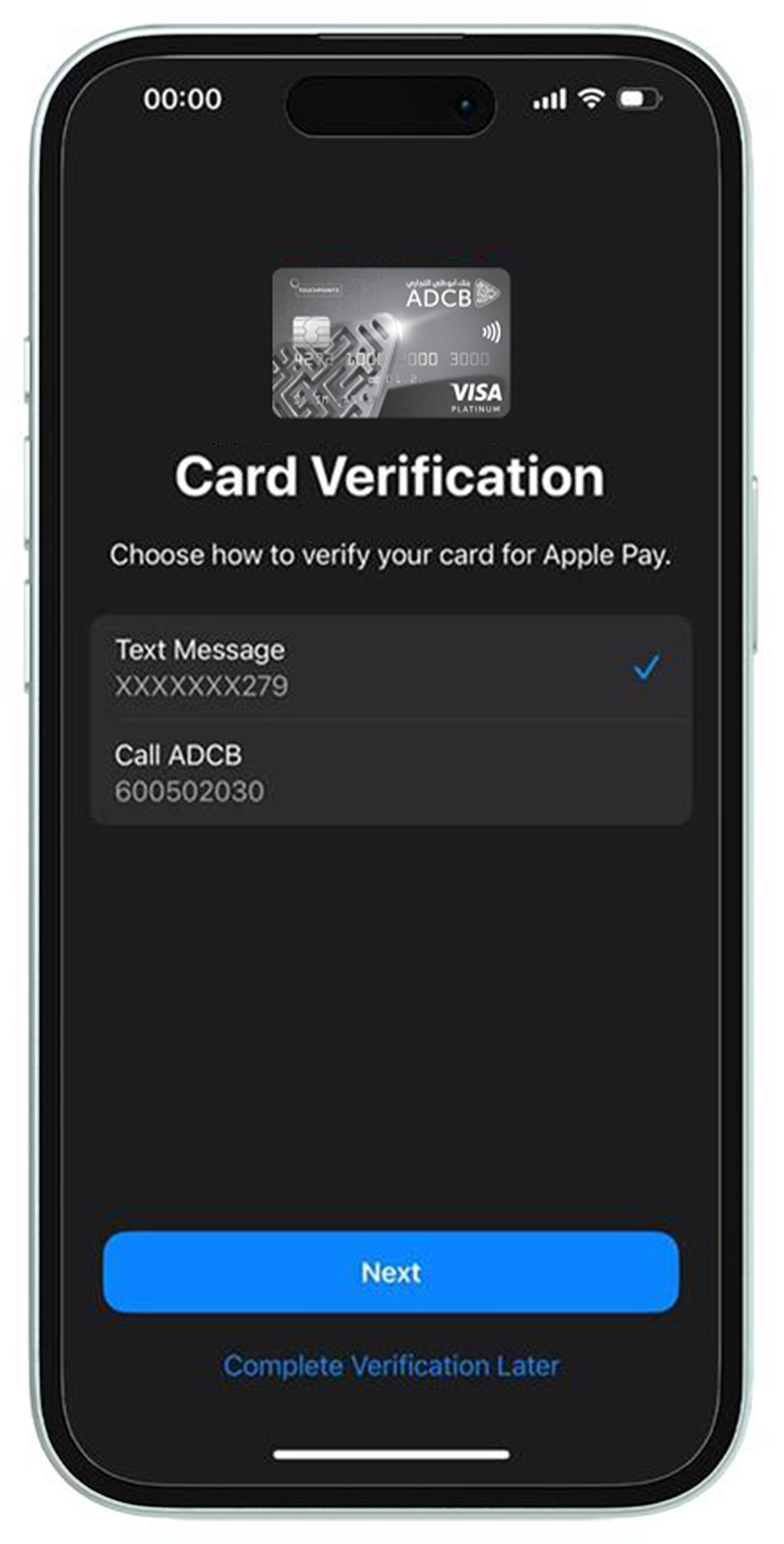
Step 1: Enter your card details in the digital wallet on the other device and choose SMS as your verification method.
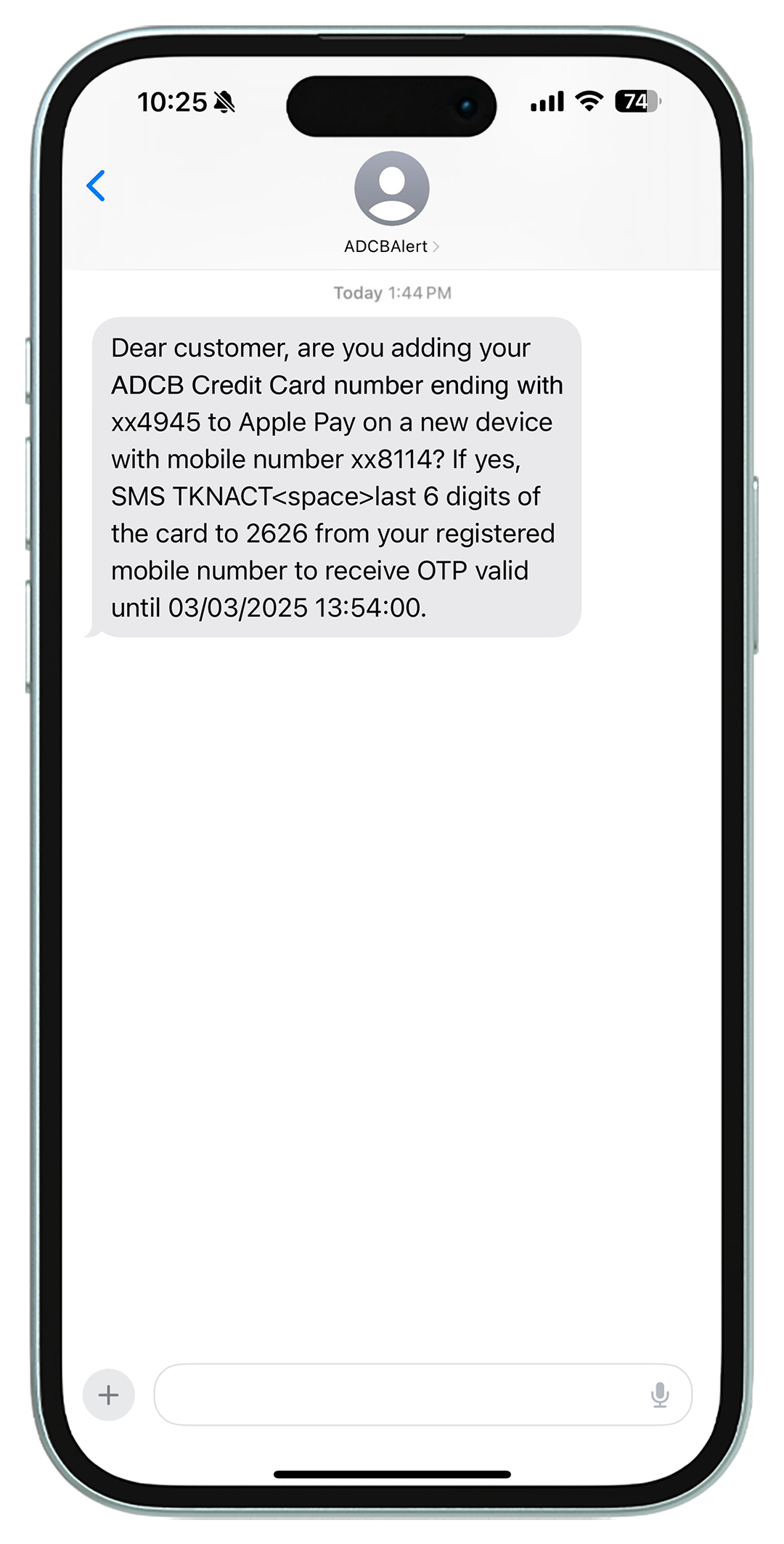
Step 2: You will receive a verification SMS on your registered mobile number.
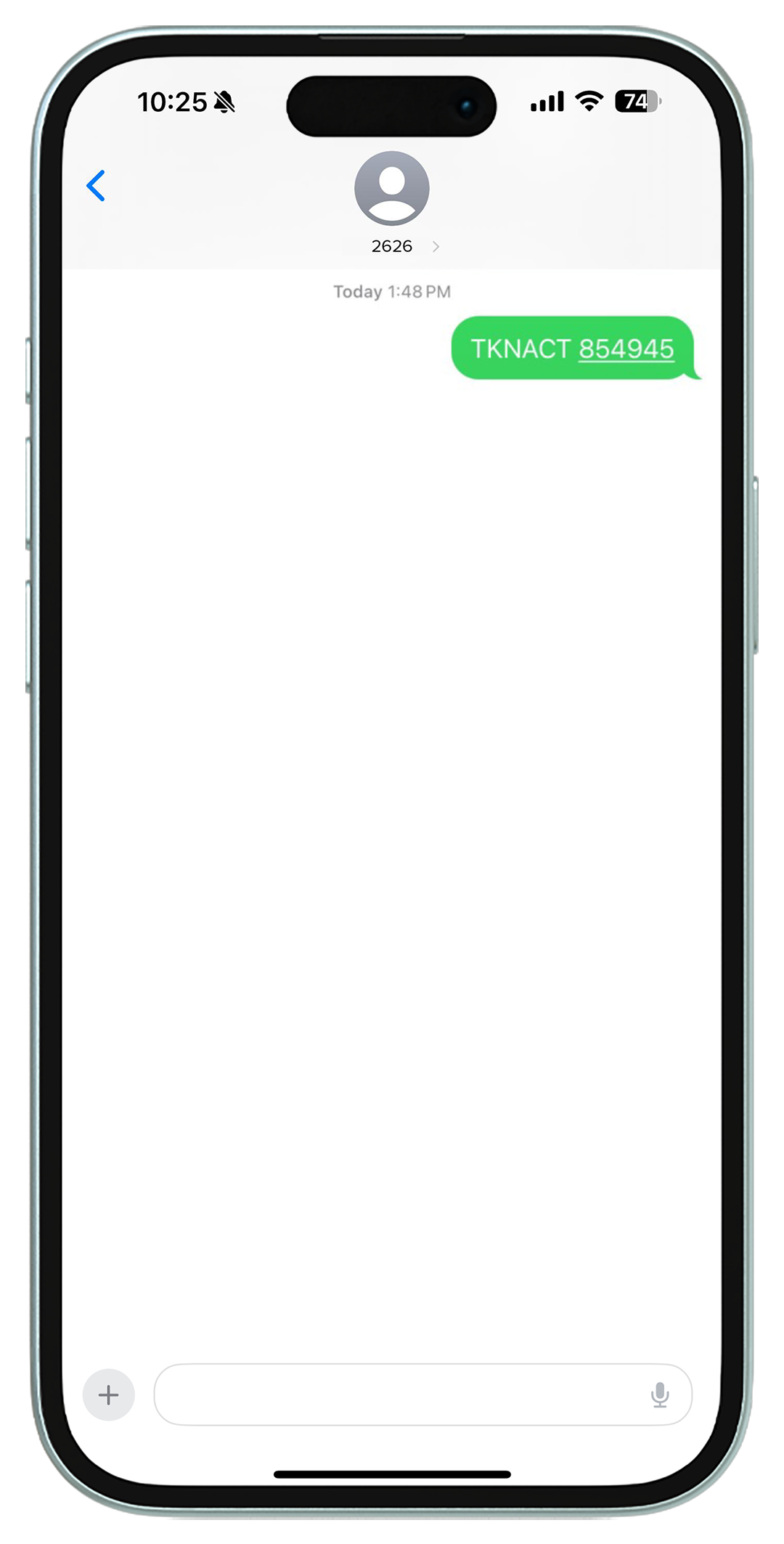
Step 3: Reply to the SMS by sending: TKNACT [space] last 6 digits of your card number to 2626.
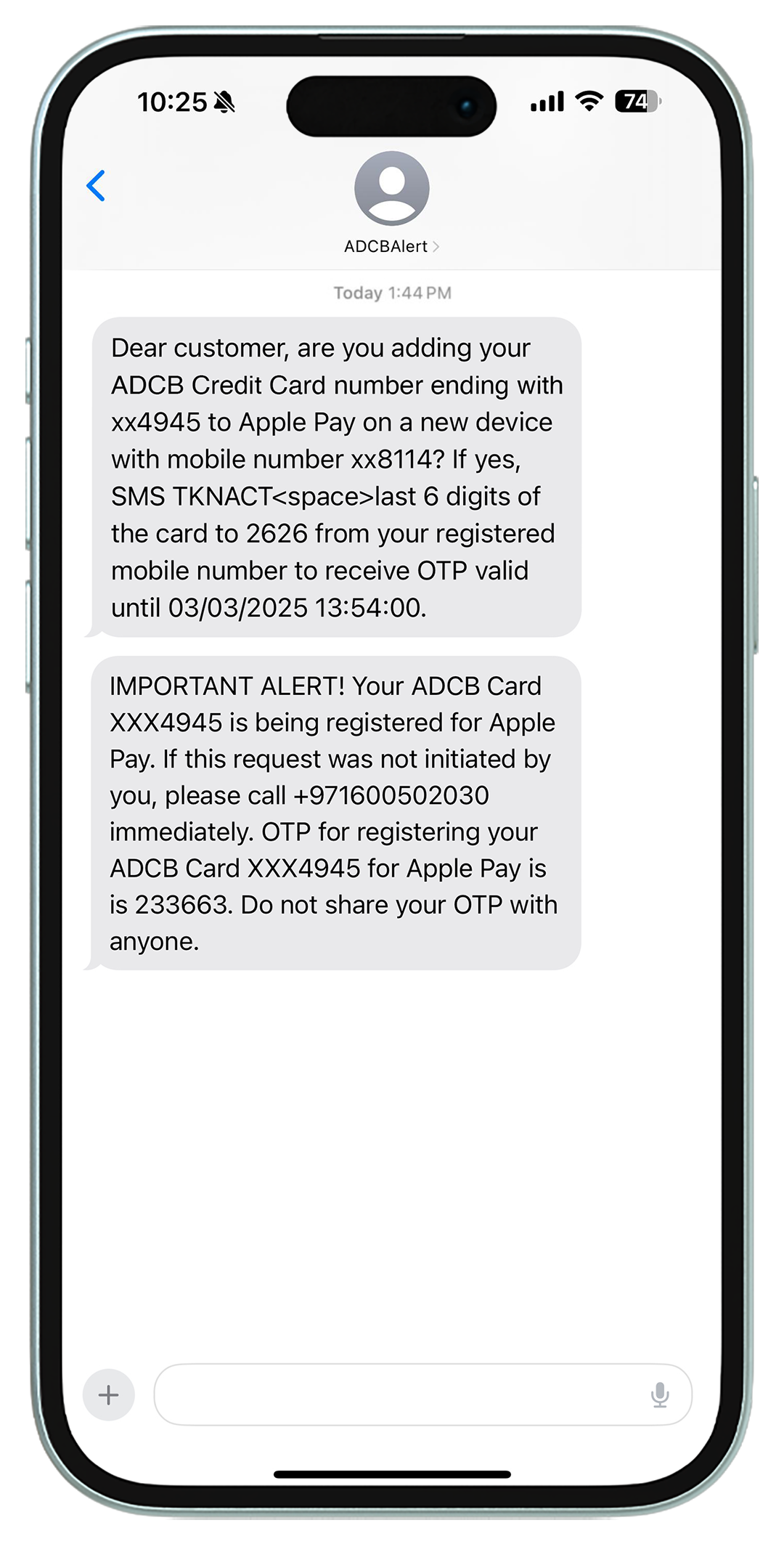
Step 4: You will then receive a One-Time Password (OTP) on your registered number.
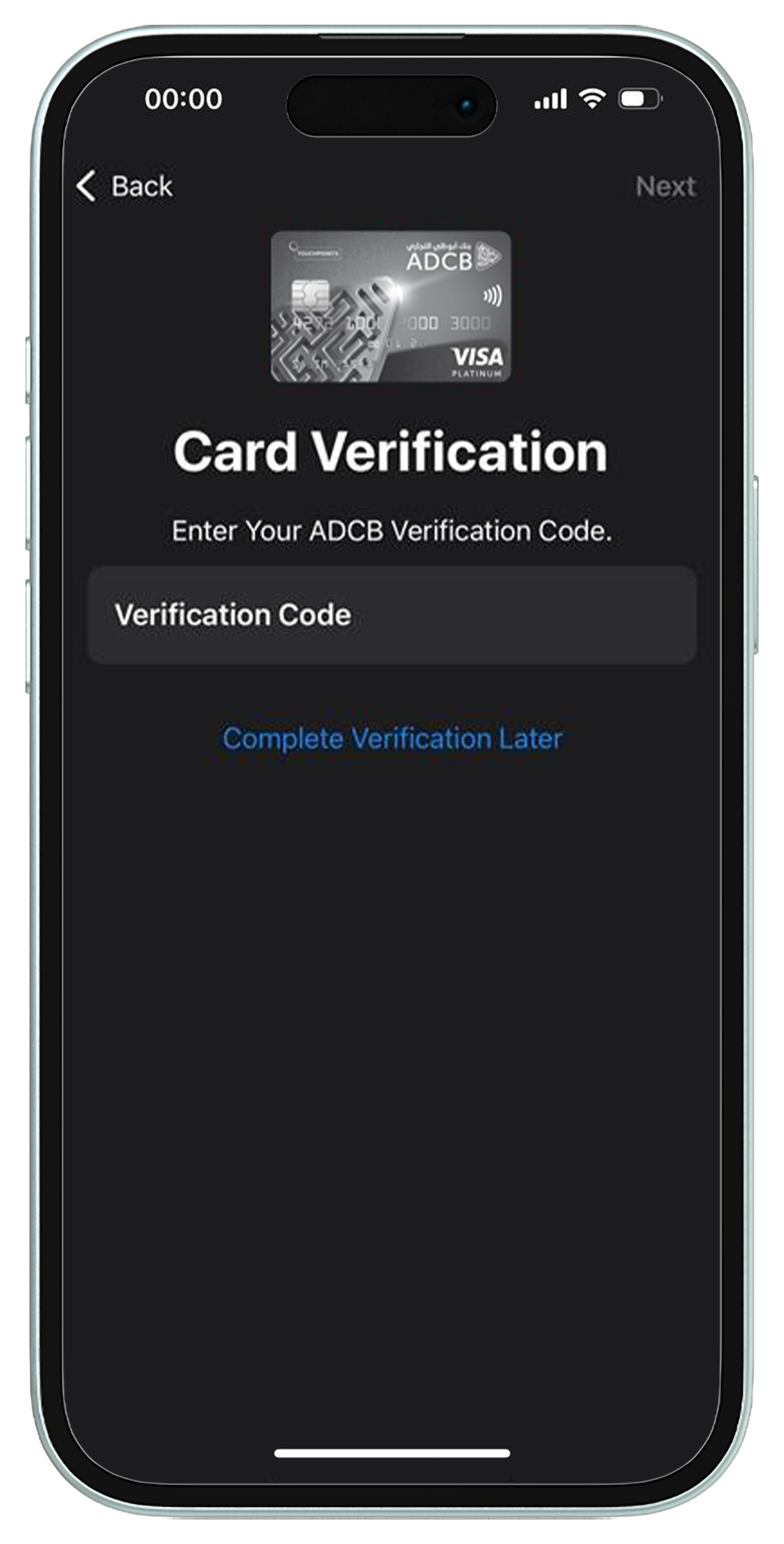
Step 5: Enter the OTP in the digital wallet to verify your card.
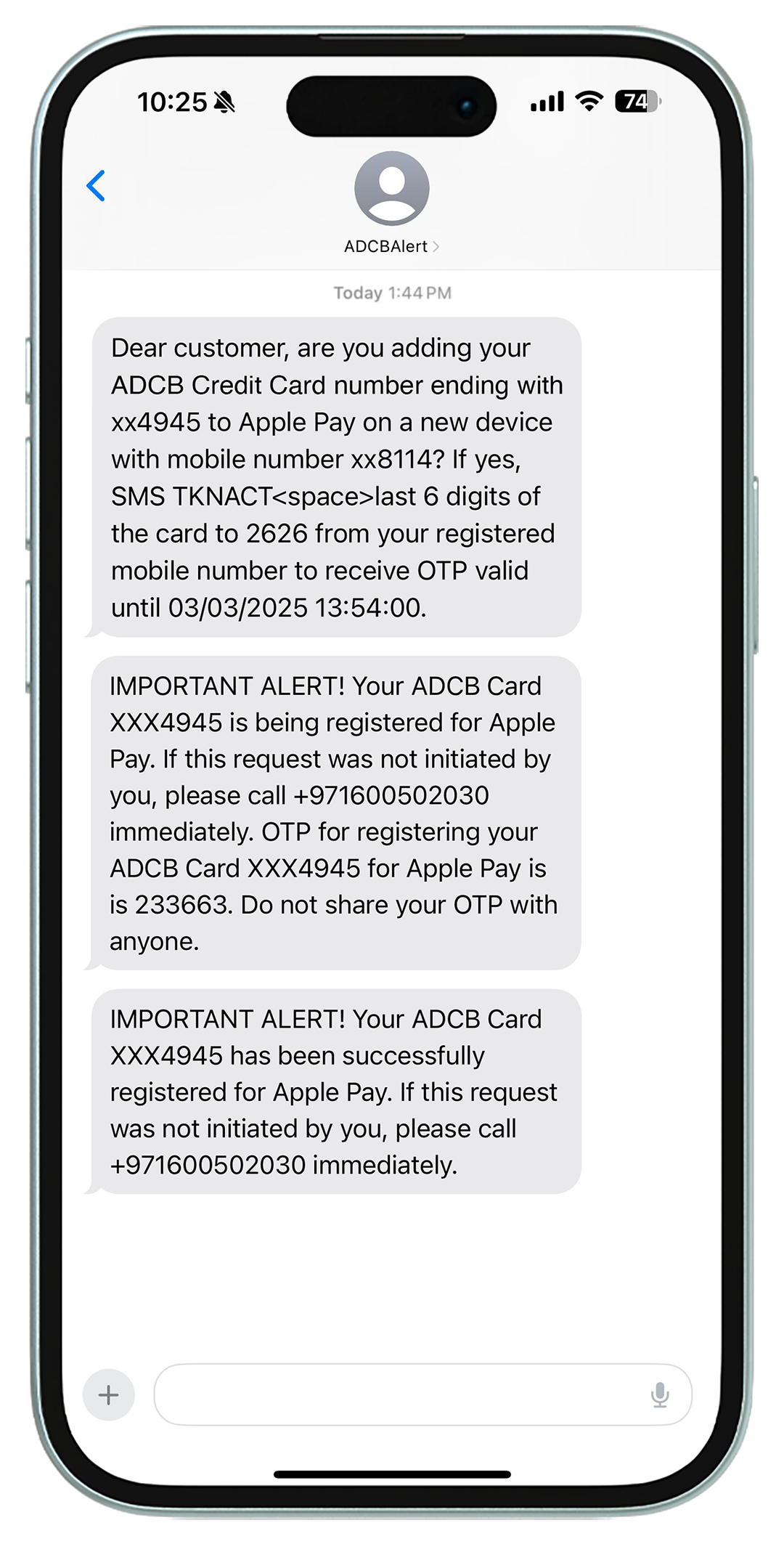
Step 6: You will receive an SMS confirmation once the card is successfully added.
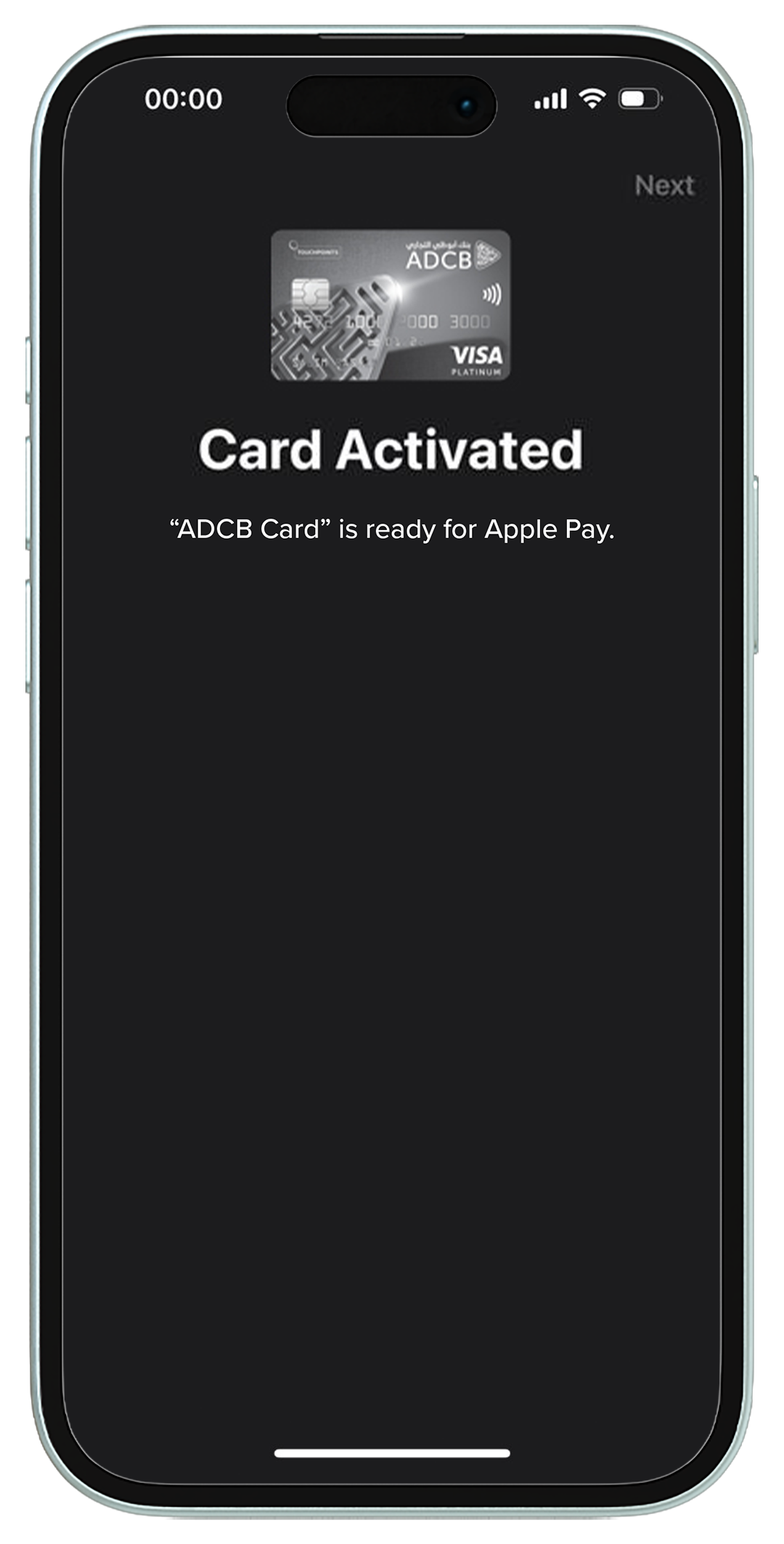
Step 7: You can now enjoy secure, seamless digital wallet transactions.
This process ensures that only you – using your registered mobile number – can approve the wallet registration.
Key tips to stay safe and avoid accidental triggers
- Respond only if you initiated the request.
- Read all SMS messages carefully.
- Ensure your registered mobile number is up to date.
- Only use official wallet applications.
Your security is a top priority
This enhanced process has already proven effective in preventing fraudulent digital wallet registrations. Your awareness and vigilance play a vital role in keeping your accounts secure.
If you believe you have been targeted by fraud, please report it immediately through our official Contact Centre on 600 50 2030. For essential tips on recognising and preventing fraud, please click here.
Stay Safe online with authentic websites
If you are unsure about the authenticity of a website, you can visit the UAE Government’s Stay Safe platform: https://staysafe.csc.gov.ae/home
Simply copy and paste any website link you are unsure of into Stay Safe and it will check multiple sources for you to see if the site is a scam, phishing attempt or legitimate website.
Please note these sources are not complete or error-free, as new types of phishing attempts and well-hidden scams may not be identifiable.
Stay Safe is one of the many tools and checks available, and additional measures should always be taken to verify the authenticity of a website.

